INDEPENDENT SOFTWARE STUDIO

Practical business tools, built around one clear problem.

I’m Iliya Dafov, the independent maker behind Leo Forge, based in Bulgaria. I build focused HTML and JavaScript tools and offer scoped diagnostics for small businesses and web agencies working in English.

Explore two working cleaning calculators, or send one example of the software problem you need solved.

BUILT TO BE USEFUL01 / WORKING EXAMPLE
US cleaning quote calculator
Actual US calculator demo showing home details and a preliminary estimate of $190 to $245.
Real interface. Fictional sample rates.Open live demo
Business calculatorsJavaScript diagnosticsScoped custom tools

01 / WORKING EXAMPLES

Useful tools.
Ready to explore.

These are Leo Forge’s own demonstration products. The cleaning companies and prices shown in them are fictional.

UNITED STATESUSD / SQ FT
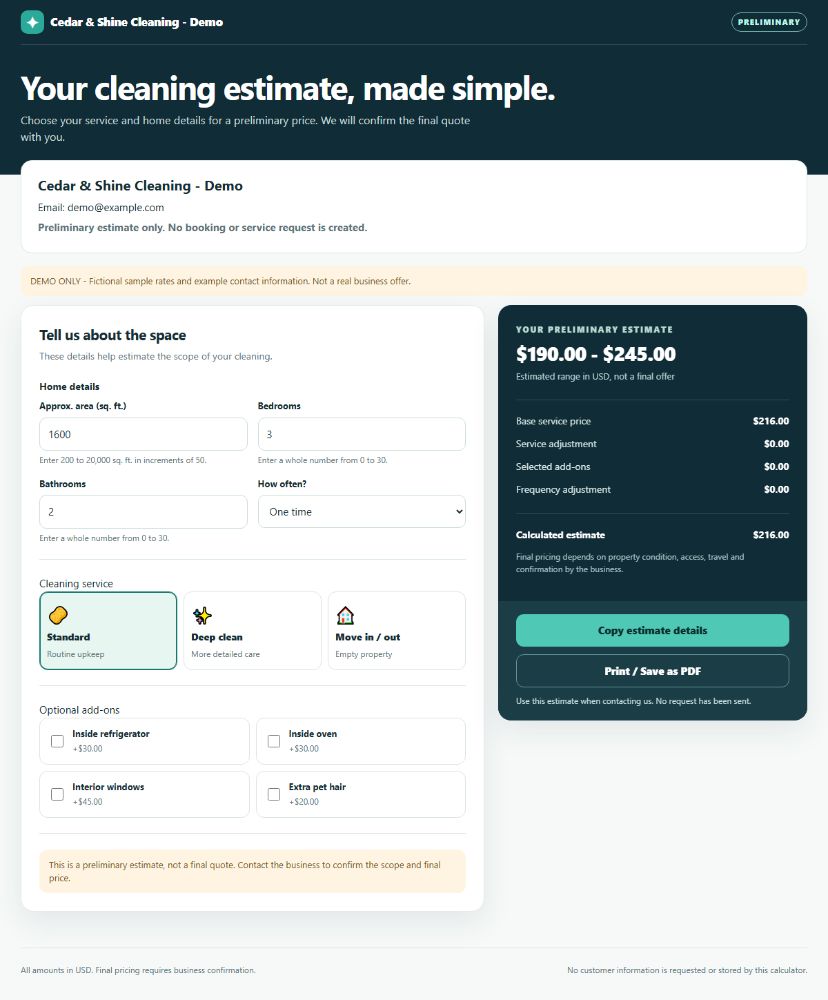
Screenshot of the working US cleaning calculator, with home inputs, service choices and estimate breakdown.

RESIDENTIAL CLEANING / US

US Smart Cleaning
Quote Calculator

Give customers a preliminary residential cleaning estimate before your team confirms the final quote.

  • USD and square feet.
  • Standard, Deep clean and Move in / out cleaning.
  • Bedrooms, bathrooms, frequency and four available add-ons.
  • An estimate breakdown, copyable details and browser Print / Save as PDF.
  • A standalone HTML file configured with supported rates and public business details.
UNITED KINGDOMGBP / M²
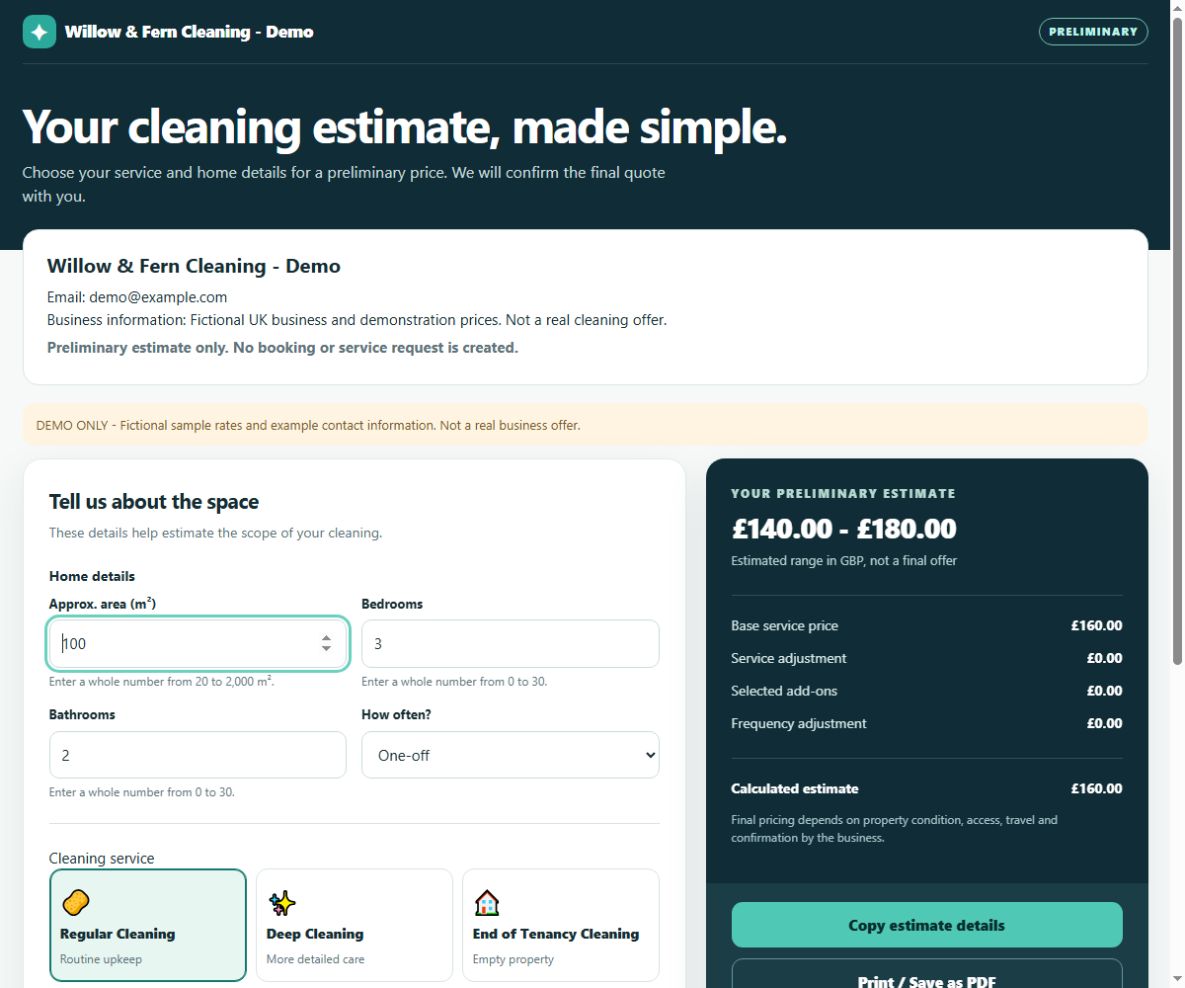
Screenshot of the working UK cleaning calculator, with square-metre inputs and an estimate in pounds.

RESIDENTIAL CLEANING / UK

UK Smart Cleaning
Quote Calculator

Let customers explore a starting price in pounds using the property details and cleaning options your business supports.

  • GBP and square metres.
  • Regular, Deep and End of Tenancy Cleaning.
  • Bedrooms, bathrooms, frequency and four available add-ons.
  • An estimate breakdown, copyable details and A4 print styling.
  • A standalone HTML file configured with supported rates and public business details.

02 / JAVASCRIPT & IFRAME DIAGNOSTICS

Find out why
one component
is misbehaving.

A widget may work on its own but become clipped inside an iframe. A calculator may show a result that differs from an agreed example. An update may change a previously working interaction.

01ReproduceThe observed issue
02CompareExpected and observed behaviour
03DocumentEvidence and acceptance checks

For a component you own or are authorised to share, we can scope a focused investigation: reproduce the issue, compare expected and observed behaviour, and document the findings. Any repair or replacement is agreed after the initial review.

The deliverable can include reproduction steps, browser evidence, a findings summary and acceptance checks for the next change. We confirm the browser and website requirements for each job.

Tell us what is happening

03 / TECHNICAL CASE STUDY

A tested replacement for
our own iframe module.

INTERNAL EXPERIMENT

In an internal experiment on 23 October 2026, we analysed the host-and-frame messaging used by our UK calculator and created a separate implementation against a written behaviour specification.

Comparative Node tests
70/70

Tests passed

Real Chrome combinations
12/12

Headless Chrome at 320, 375 and 390 px

Height measurements
36/36

Matched expected values in those cases

Original files preserved
177

Hash checks confirmed no changes

How the work was verified. The module was reviewed through code inspection, comparative testing and browser-based evidence.

What this evidence covers. These results cover one owned JavaScript module. The static analysis left unresolved behaviour that required code review and testing; this is not proof of universal browser compatibility or complete application recovery.

04 / CUSTOM BUSINESS TOOLS

Start with the
task you repeat.

A pricing worksheet, a quote document or a small internal workflow may be a good candidate for a focused tool.

POSSIBLE PROJECTS TO SCOPE

  • 01Custom calculators
  • 02Form-to-document workflows
  • 03A bounded part of an Excel process

We review your rules, sample inputs and expected output before committing to a solution. New integrations or unfamiliar requirements may need a separately agreed diagnostic stage. These are options to scope, not completed products in this portfolio.

05 / HOW WE WORK

Clear scope.
A practical next step.

We review the work and test it against agreed examples.

  1. 01

    Share the problem

    Send one problem or a short brief.

  2. 02

    Check the fit

    We clarify the required result and check feasibility.

  3. 03

    Agree the scope

    We agree deliverables, acceptance checks, price and timing.

  4. 04

    Build & hand over

    We build and test the agreed scope, then hand over the agreed files and instructions.

06 / LET’S TALK

What is one task
you would like to
make easier?

Email one example of a problem, or a short description of the result you want. A page URL or anonymised input/output example is enough to start.

Please leave out passwords and private customer data.

Email your problem